

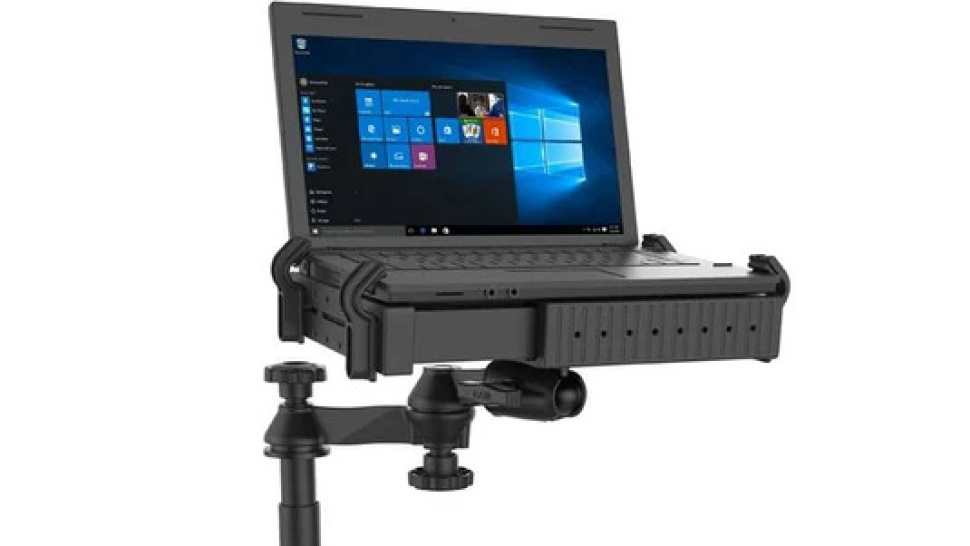

Truck cabins don’t leave much room for extra gear, especially when the dashboard, seats, storage compartments and control panels already take up most of the space. Finding a spot for a tablet takes more than choosing whatever place seems handy. So how do you mount a tablet securely in a truck cab with limited space and still keep everything essential within reach?
A Heavy Duty Tablet Truck Mount lets you position a device using adjustable mounting components. Even so, drivers need to think about arm reach, attachment points and the equipment around them to find a location that’s easy to use without blocking anything essential in the cab.
Where Can You Mount a Tablet in a Truck with Limited Cab Space?
Start by looking over the truck’s interior to see where a mounting assembly could fit. Dashboard space is often tight because of built-in displays and controls, while the passenger side and seat-rail attachment points may offer more options.
A good location needs clearance from the steering wheel, gear selector and other controls, plus room for the tablet and holder. It should also have a compatible attachment point and space to adjust without bumping seats or doors.
A Heavy Duty Tablet Truck Mount comes in several configurations, so there’s usually a way to work around tight cab space. The right one depends on the attachment points you have and how much room the nearby components leave, so take measurements before you settle on a spot.
How Do Adjustable Mounting Arms Help Position Tablets in Tight Spaces?
The mounting arm decides how far the tablet reaches from its attachment point. In a cramped cab, that flexibility puts a device in a practical viewing spot without needing a big dashboard surface.
Ball-and-socket joints let you change the tablet’s angle and orientation, while telescoping sections add reach when the mounting point sits a distance from the screen position you want.
When you evaluate these parts, think about:
Arm length: Check whether the available reach gets the tablet where you want it.
Joint articulation: More adjustment points give you more ways to position the device.
Mounting base: Make sure the base works with the attachment location you’ve chosen.
Clearance: Confirm that the extended assembly doesn’t touch nearby cabin equipment.
These points show whether a Heavy Duty Tablet Truck Mount can handle the space you have and the position you want.
What Should You Check to Maintain Tablet Visibility and Cabin Clearance?
A mounting position should let the driver get the information they need from the tablet without blocking the view of the road or getting in the way of the controls. The tablet should also stay clear of passenger seating areas.
Try the proposed position with the vehicle parked, so you can catch clearance problems before you start using it regularly. The mount should also suit the tablet’s size and weight within the equipment’s stated specifications.
Visibility and Instrument Displays
Check visibility from your normal seated driving position, and keep the tablet away from critical instrument displays.
Entry, Exit and Seat Movement
Make sure the mounting arm doesn’t block getting in or out, and check clearance when you adjust or recline the seat.
Secure Installation
Secure the assembly according to its installation requirements, so it stays firmly in place once you’ve settled on a position.
Conclusion
Limited cabin space doesn’t rule out a practical spot for your tablet. Checking attachment points, arm reach, adjustment options and nearby equipment helps you find a configuration that works. A Heavy Duty Tablet Truck Mount should match both the vehicle’s interior and the device’s specifications, keeping everything important in the cab accessible.



Share the News